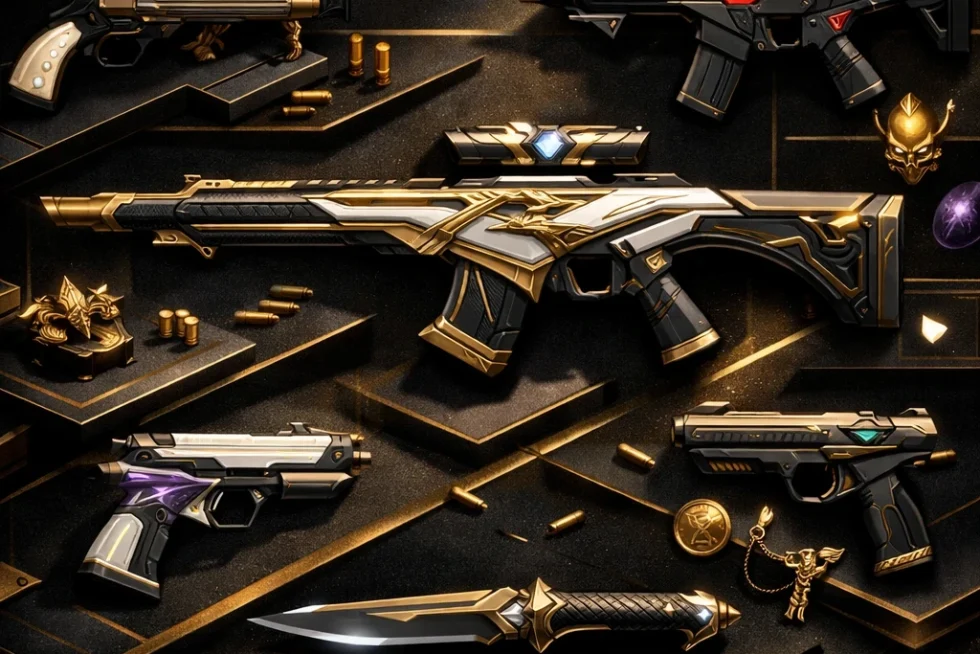
A weapon can perform exactly the same job while looking entirely different in your hands. That is the role of VALORANT skins: cosmetic items that change a weapon’s appearance without changing its gameplay function. They are the main form of weapon customisation, ranging from alternate looks for familiar guns to selected skins that can be evolved or upgraded further.
The skin catalogue is broad and changes over time, so the most useful way to browse it is not to memorise every name. Start with the weapon you use most, then look at the collection it belongs to, how the item is acquired, its edition label, and whether it has extra customisation options.
What VALORANT Skins Change
VALORANT weapon skins alter the appearance of a weapon. A skin gives a gun or melee weapon a cosmetic identity beyond its standard look, and collections often provide a shared visual direction across several weapons.
Not every skin offers the same level of customisation. Some are simply alternate appearances, while certain eligible skins can be evolved or upgraded. An upgrade can further alter the skin, making the base version only one part of the item’s overall presentation. That distinction matters when comparing two skins that may look similar at first glance: one may be a fixed cosmetic, while another may have additional options to unlock.
It is best to treat skins as collection and style choices rather than performance purchases. Choose based on the weapon you want to personalise and the look you want in your loadout.
Skins Across the VALORANT Arsenal
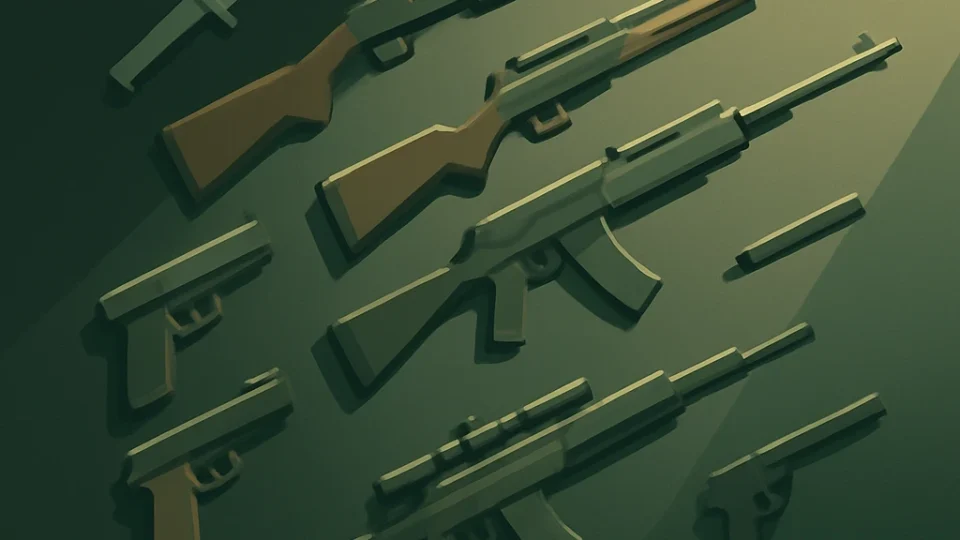
Skins are represented across the major weapon categories, so you can browse from the weapon slot outward rather than beginning with a collection name. Supported categories include melee weapons, pistols, shotguns, SMGs, rifles, sniper rifles and machine guns.
That makes a weapon-first approach particularly practical. A player who regularly buys a Sheriff can look for Sheriff skins; someone focused on rifles can compare rifle options; and a player who wants a cosmetic visible in many rounds may prefer to begin with a melee weapon. The categories help narrow a large cosmetic catalogue into the weapons that are most relevant to your own matches.
Examples of listed individual weapon skins include Tethered Realms Ghost, Winterwunderland Ghost, Sentinels of Light Sheriff and Death Wish Sheriff, which is associated with Yoru. These examples show how a single weapon can have skins from very different themes and collection identities. They should be read as examples for browsing, not as a permanent list of items you can necessarily obtain at any given time.
Collections, Individual Skins and Bundles
There are three useful ways to think about the catalogue: individual skins, collections and bundles. An individual skin is one cosmetic for one weapon. A collection groups related cosmetics under a shared theme or design language. A bundle is a store package built around a collection or featured release.
A featured store collection can include a full collection set of skins, cards and other cosmetics. In other words, a bundle can be broader than a group of weapon finishes alone. If you are deciding whether to buy one item or consider a larger package, look first at which weapons are represented, then at the additional cosmetics included alongside them.
Bundle contents are not identical across every release, so there is no single universal list of items that every bundle contains. The practical question is whether the specific package includes the weapons you use and whether its other cosmetics matter to you. A strong collection theme may be appealing, but it is still worth separating the collection’s overall identity from the particular weapon skins in the package.
Some named releases provide useful reference points without forming a complete catalogue. Aeris is identified as a skin release dated August 19, 2026, and the Season 26 Act 5 Battle Pass is identified as a skin-related release on the same date. Elsewhere, Ultra-tier listings include Evori’s Spellcaster melee, Aemondir Vandal, Nocturnum Phantom, Gaia’s Vengeance Ghost, Forsaken Operator and FDGT SPNR Flex.
Those names are best used as browsing anchors: a melee item, rifle, sidearm, sniper rifle and other weapon cosmetics can all sit within the wider skin ecosystem. They do not establish a complete list of collections, bundle contents or current availability.
How to Get VALORANT Skins
Weapon skins can come from three main routes: the in-game store, Battle Pass rewards and Agent Contracts. Each route suits a different kind of collection goal.
The store is the direct-purchase path for eligible weapon and melee skins. It is the route to use when you are looking for a particular item that is offered for purchase. Store presentation has included Featured and Offers sections, with featured collections and individual offers operating as different ways to surface cosmetics.
Battle Passes offer another route. Each act’s Battle Pass has exclusive skins for 13 weapons drawn from three skin collections that follow that Battle Pass’s theme. This makes the Battle Pass path more collection-oriented: instead of choosing a single store item, you are looking at a themed set of rewards tied to that act.
Agent Contracts provide a more specific reward route. Players can obtain agent weapon skins by reaching Tier 10 of an Agent Contract. If an agent-associated cosmetic is what interests you, the contract route is distinct from simply looking through store options.
The right path therefore depends on what you are trying to collect: a currently offered store cosmetic, a themed Battle Pass reward set, or an agent-related weapon skin.
VALORANT Points and Skin Editions
For eligible store purchases, VALORANT Points are the currency used to buy weapon skins and collections. The basic purchase sequence is straightforward: acquire VALORANT Points, select the desired eligible store item, and complete the purchase. Individual skin and bundle prices depend on the weapon’s edition tier.
Edition labels help organise skin collections, but they should not be treated as a complete feature guide by themselves. Select is an edition tier described as the lowest-ranked edition. Deluxe and Premium are also named skin edition tiers. These labels offer a useful first signal when comparing store items, particularly because tier is connected to pricing, but they do not tell you every cosmetic detail of a particular skin.
A better comparison is two-part. First, use the edition label to understand where a collection sits in the edition structure. Then inspect the actual item or collection for the elements that matter to you: the weapon it applies to, the overall theme, and whether it has upgrade options. This avoids assuming that every skin with a particular label has the same extras.
Prices and eligible store selections can change, so a purchase decision should be based on the item and price shown when you are browsing rather than on a fixed expectation attached to a collection name.
Chromas and Upgrades
Chromas and upgrades add another layer to selected skins, but they are not universal features. Only some weapons and skin lines have evolving skins, and certain weapon skins can be evolved with Radianite Points.
Where upgrade options are available, upgrading a skin can further alter it. Premium and Ultra skins are described as having options that can unlock colour variants, animated effects and a finisher. The exact options still depend on the particular eligible skin, so the useful question is not whether a whole category always has chromas or upgrades, but what the specific item offers.
For a skin you are considering, separate the base appearance from its available customisation path. That keeps the comparison clear: you may like the skin as it is, or you may value the additional variants and effects enough to make upgrades part of the decision.
Choosing a Skin Path That Fits Your Collection
- Begin with the weapon you actually want to customise. The catalogue is easier to navigate when you start with a familiar slot: melee, pistol, shotgun, SMG, rifle, sniper rifle or machine gun. A collection can look excellent as a whole, but the most satisfying purchase is often the skin for the weapon that appears most often in your own loadout. If you primarily buy rifles, compare rifle skins first; if your sidearm is the weapon you notice every round, start there instead.
- Decide whether you want one skin or a collection identity. An individual skin is the focused choice when one weapon stands out to you. A collection is more useful when you want several weapons to share a theme. This distinction also helps prevent a bundle from feeling automatically better value simply because it contains more cosmetics. A larger package has more relevance when several included weapons fit your preferences, not merely because it has a recognisable collection name.
- Read bundle contents as a package, not as a guarantee of a standard format. Featured collections can include a full set of skins, cards and other cosmetics, but bundle contents vary by release. Before treating a bundle as the right route, look at the particular weapon skins included and consider whether the extra cosmetics are meaningful to you. The bundle is most compelling when its weapon coverage matches your preferred categories and its theme works across more than one item you would use.
- Use named examples to understand the range, not to build a permanent shopping list. Tethered Realms Ghost, Winterwunderland Ghost, Sentinels of Light Sheriff and Death Wish Sheriff illustrate how Ghost and Sheriff cosmetics can belong to distinctly different visual themes. Likewise, names such as Aemondir Vandal, Nocturnum Phantom and Forsaken Operator show that notable skins can be tied to different weapon types. These are useful reference points when learning the catalogue’s vocabulary, but they do not establish which individual skins are currently obtainable.
- Choose the acquisition route that matches the item you want. The in-game store is the direct route for eligible weapon and melee skins. Battle Passes suit players interested in act-themed rewards, with exclusive skins for 13 weapons from three themed collections in each act’s Battle Pass. Agent Contracts are the route for agent weapon skins, with the reward obtained at Tier 10 of the relevant contract. Thinking in routes makes browsing more efficient: store for a selected offer, Battle Pass for a themed reward track, and Agent Contract for an agent-related item.
- Treat VALORANT Points as part of the store decision, not as a reason to rush it. Eligible store skins and collections are purchased with VALORANT Points, and edition tier influences store pricing. That gives you a sensible comparison order: identify the skin or bundle you want, check its edition label, then consider its displayed VALORANT Point cost against how much you expect to use it. A strong visual concept can be appealing, but a weapon skin is easier to justify when it suits a weapon that is already central to your collection.
- Use edition labels as context rather than a substitute for inspection. Select, Deluxe and Premium are recognised edition labels, with Select described as the lowest-ranked edition. These labels can help you orient yourself when looking across collections, especially alongside price, but they do not replace looking at the specific cosmetic. A collection’s tier is one signal; its weapon selection, theme and available customisation are the details that determine whether it fits your preferences.
- Check for upgrades only after you like the base skin. Some skins can evolve or be upgraded, while others cannot. Eligible Premium and Ultra skins may have upgrade options that unlock colour variants, animated effects and a finisher, and certain skins can be evolved with Radianite Points. The base appearance should still carry the decision. If you already like the skin without extras, upgrades can deepen its appeal; if the base item does not suit your collection, additional effects are unlikely to make it the right fit.
- Build a collection around a clear priority. There is no single best way to browse VALORANT skins. A weapon-first approach works for players who want to personalise the guns they buy most. A collection-first approach works for players who value a coordinated loadout. An acquisition-first approach is useful when you are weighing store options against Battle Pass rewards or Agent Contract progression. Finally, an upgrade-first approach makes sense only when chromas, animated effects or finishers are central to what you want from an eligible skin.